34
34 safety checks
Signals are analyzed automatically when an email opens.

IsThisLegit gives employees a simple way to verify suspicious messages directly inside Outlook before they click, reply, share information or act on a request.
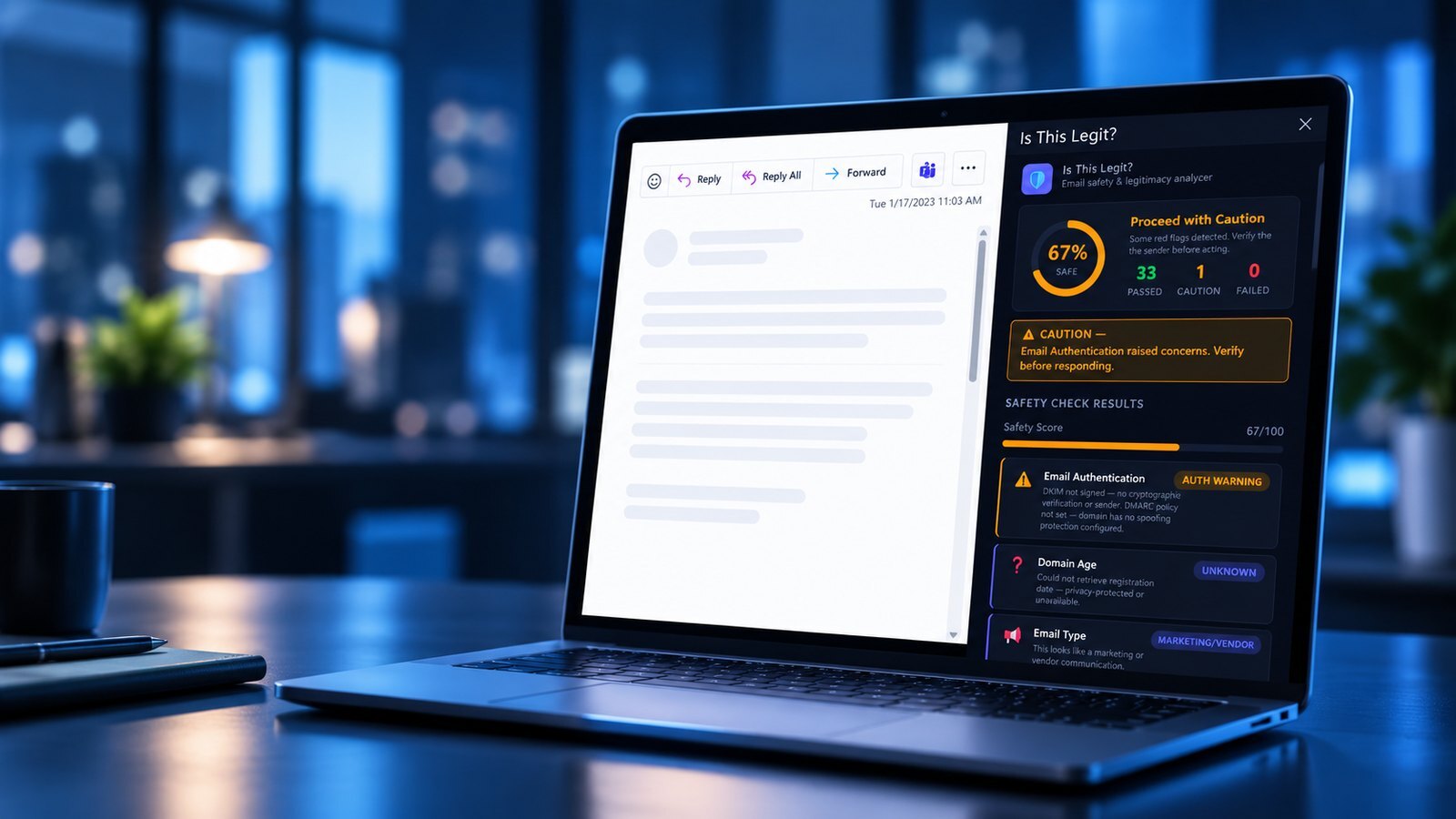
Modern phishing often arrives with professional writing, familiar names, and legitimate-looking infrastructure. Spam filtering may let it through, leaving an employee to make a judgment call with little guidance.
The old warning signs are disappearing. AI has made it easier to create polished, personalized messages that feel like ordinary business.
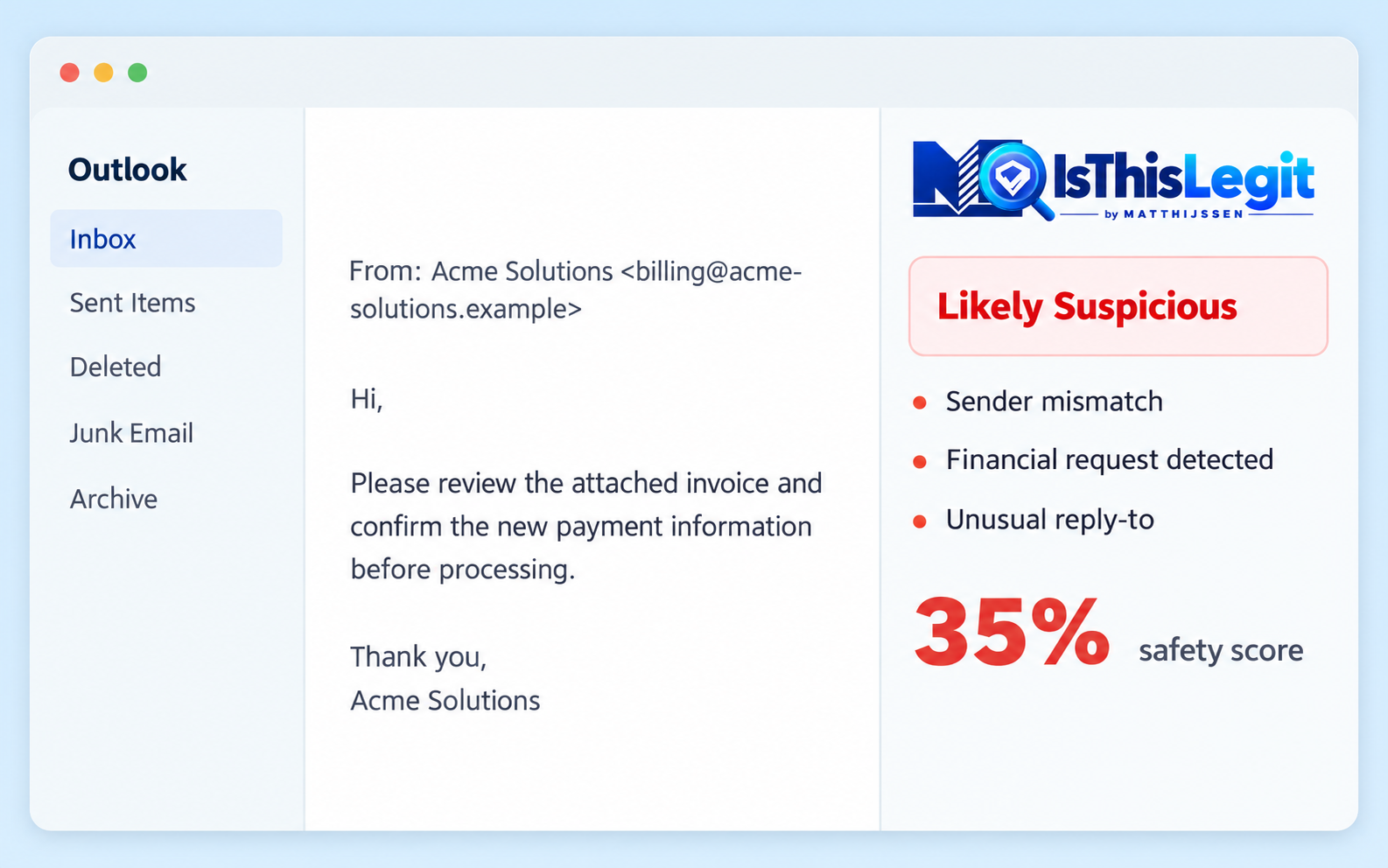
Please review the attached invoice and confirm payment information before the end of day.
IsThisLegit runs in the background when an email is opened, then turns dozens of technical signals into a verdict that ordinary users can understand.
Open any email in Outlook. The add-in loads automatically.
Sender, domain, authentication, language, links and attachment indicators are analyzed.
A 0–100 safety score, color-coded verdict and plain-English explanation appear.
Three clear action steps tell the employee what to do next.
03/ SEE IT IN ACTION
Watch how an employee can check a suspicious message and get a clear, plain-language result in seconds.
A lookalike colleague request to update direct deposit was flagged, prompting a call to HR. Fraud was prevented.
An urgent request from an unrelated domain scored 5% and was classified as likely phishing.
A polished PDF message passed the spam filter but was flagged for a foreign domain, random username and impersonal greeting.
A false positive exposed a parsing weakness. The analysis was improved and the legitimate message then scored 100%.
Email body content, attachment contents, other mailbox messages, contacts and calendar data are not sent out for review. The only external lookup described in the case study is the sender domain against a public registration database.
The add-in is deployed through the Microsoft 365 Admin Center and requires no local software installation on employee devices.
IsThisLegit runs directly inside Outlook across desktop, web and mobile, with nothing separate for employees to configure or manage.
No. It is an extra layer at the point of decision. The case study includes a phishing message that passed the spam filter but was still caught by IsThisLegit.
Yes. IsThisLegit runs directly inside Outlook so employees can review a message without switching to a separate application.
Typical analysis takes about 1–3 seconds, giving the user a safety score, verdict and plain-language explanation while the message is open.
No. IsThisLegit is a supplementary security layer designed to help employees make better decisions. No security tool can guarantee that every message is safe or malicious.